Data Source Package Development
Available for Flex (SSIS) only
Overview
There are two types of data source packages in COZYROC CLOUD. OData and TDS data source packages.
- OData (Open Data Protocol) is a standard that defines rules for building and consuming RESTful APIs.
- TDS (Tabular Data Stream) is an application‑layer protocol that defines how database clients and servers exchange requests and results over a network connection. It is primarily used by Microsoft SQL Server and related products to send SQL queries and return tabular result sets. TDS standardizes the structure and sequencing of messages for database conversations so that client libraries and tools can focus on query and business logic instead of low‑level wire formatting.
SSIS packages built with DataReader Destination can be used to access data from any OData or TDS aware application (e.g. Power BI).
Requirements and Recommendations
Please, see 'Developing SSIS packages' section of the documentation.
Package Development
Create your package as you will do for any normal SSIS package. As a final step in the Data Flow add DataReader Destination Component and select the input columns.
- Add DataReader Destination Component.
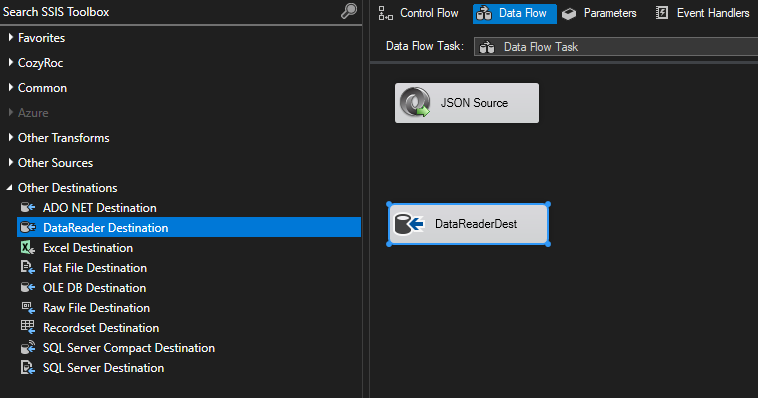
- Connect the data source output to the DataReader Destination Component.
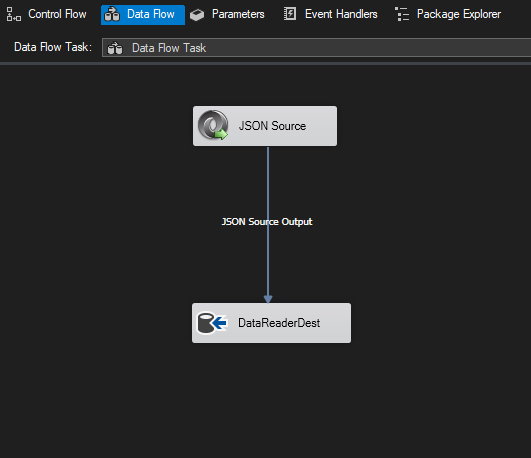
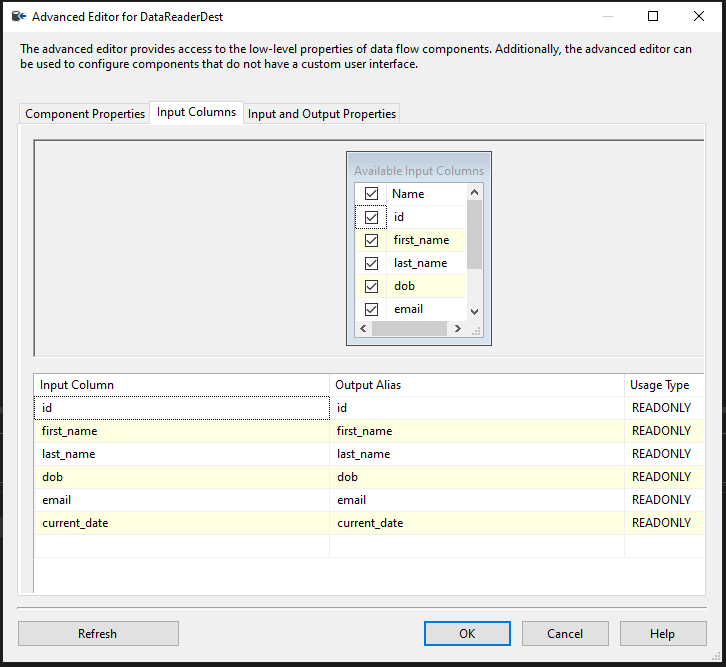
- Right click on the destination component and select 'Edit' from the context menu.

- In the configuration window select the input columns from the data source to be included in the DataReader Destination output. These selected columns will be transferred to the OData result set.
At least one column must be selected.
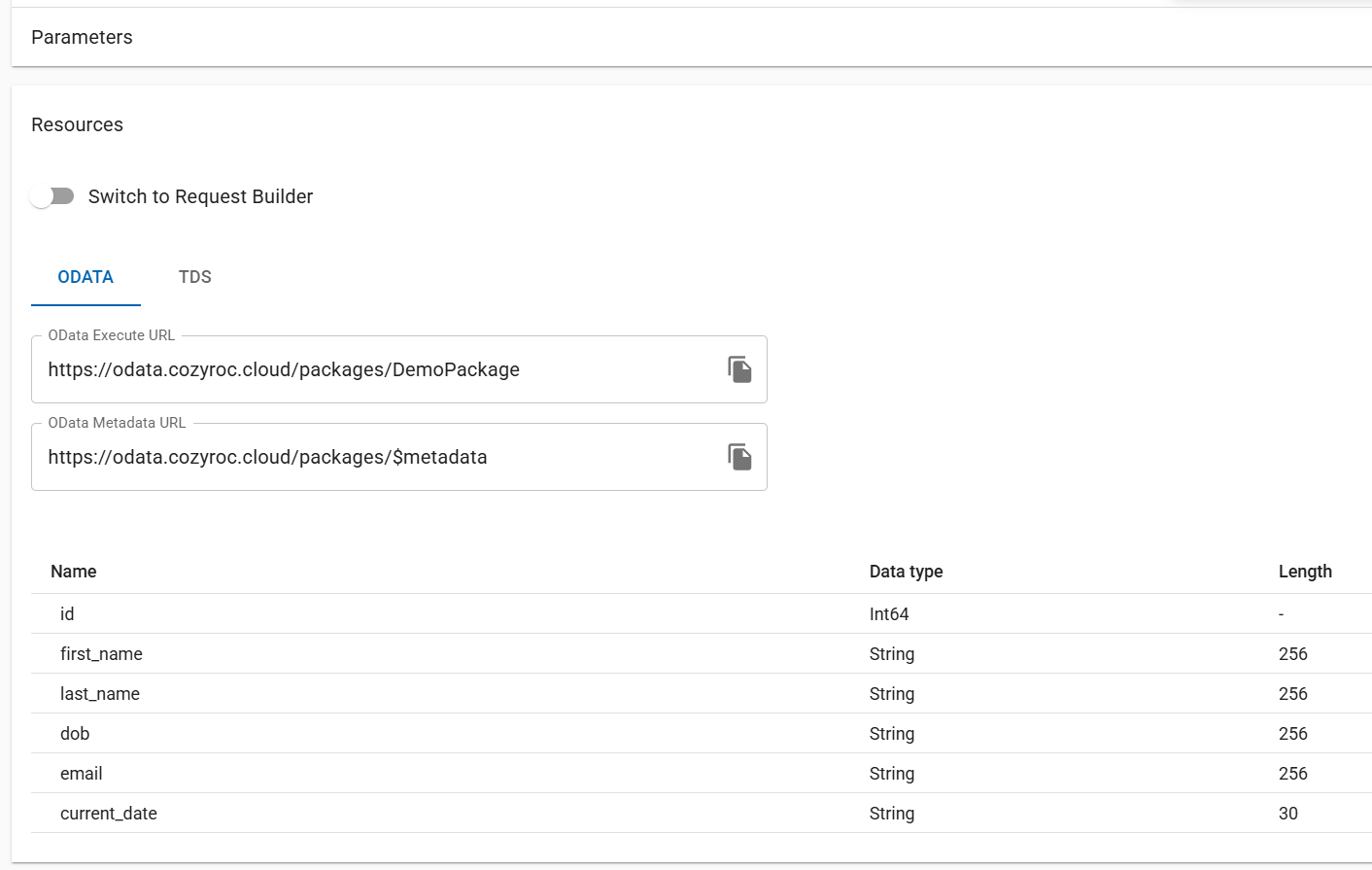
Save and upload your package to COZYROC Cloud.
The output columns metadata will automatically extracted and made available in the
Resourcessection of your package details page.
Package Parameters
Package parameters are accessible through the OData and TDS services and can be used to implement additional logic (filters, conditions etc.) in a data flow. Parameter values can be set at the time of the OData or TDS service call.

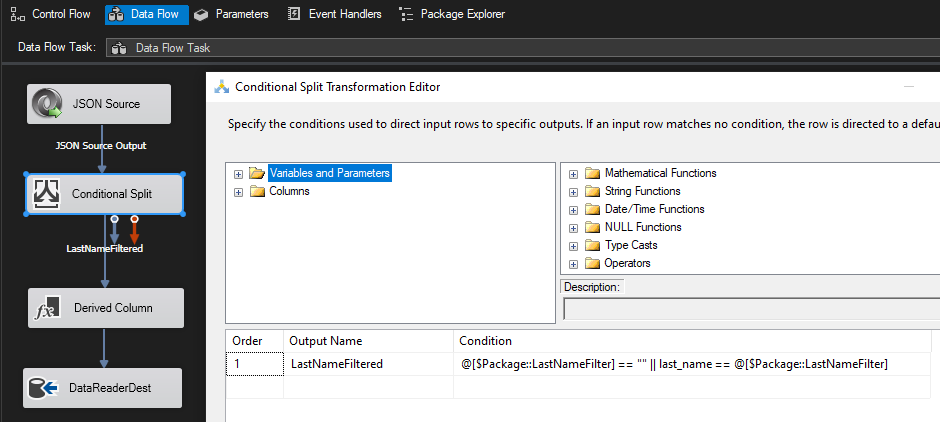
Example: Package with a parameter used in a Conditional Split transformation.
Package Deployment
Please, refer to 'Uploading SSIS packages' section of the documentation.
Columns Metadata
Static resources
When you use the standard Microsoft Data Flow Task in your package the output columns metadata will be statically defined in your package. That means the output columns will remain the same unless you upload a new version of your package. Depending on the datasource this may or may not be an issue.
Dynamic resources
Applicable only to OData packages
If you want to automatically accomodate changes in your source columns, you may want to utilize COZYROC Data Flow Task Plus instead. This way you will be able to keep your columns metadata up to date.
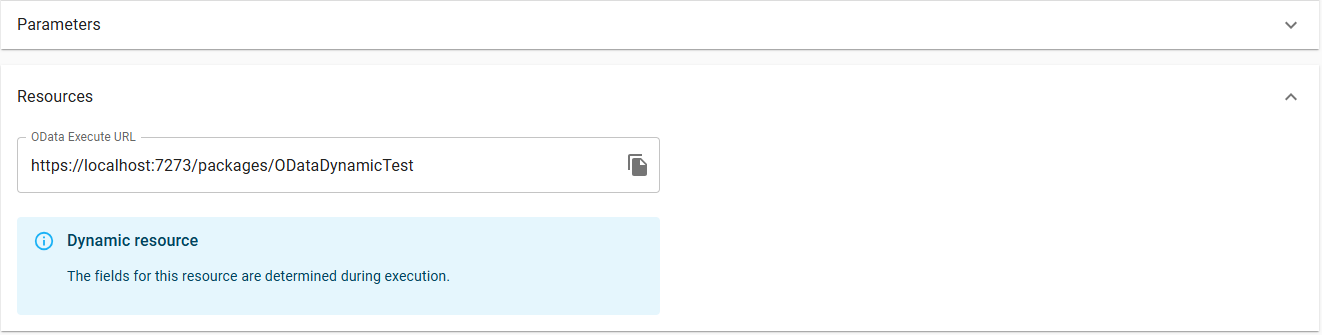
By simply exchanging Microsoft Data Flow Task with COZYROC Data Flow Task Plus the columns metadata will be refreshed on every execution. With this approach you will always receive your data correctly, but you won't be able check the metadata prior to execution. The Resources panel on the details page will show the following message The fields for this resource are determined during execution..
Refreshable resources
To get the best of both worlds you can make use of our JavaScript Task in combination with COZYROC Data Flow Task Plus to allow refreshing of the metadata with a user action. This approach is currently supported only for packages utilizing the COZYROC REST Connection Manager and REST Source by using the Get REST Resources Metadata Task template for your script task. For other data sources you can either implement your own script based on the template or contact support for assistance.
Develop your package as usual using
COZYROC Data Flow Task Plus.Add a package parameter named e.g.
Resourcethat controls the REST resource your package is executed for.Add a
JavaScript Taskbeside your data flow task and chooseGet REST Resources Metadata Taskfrom the list of pre-built scripts.

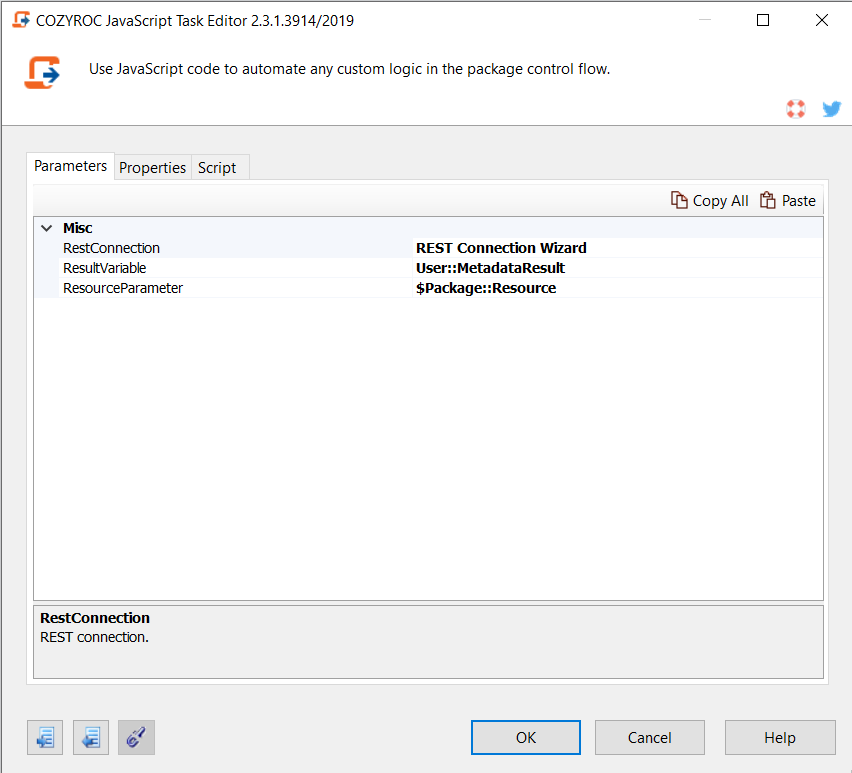
- Configure the parameters of the script task by selecting your REST Connection Manager, a variable for the extracted columns metadata and the resource package parameter created in step 2.
- Disable the script task.

Save and upload your package.
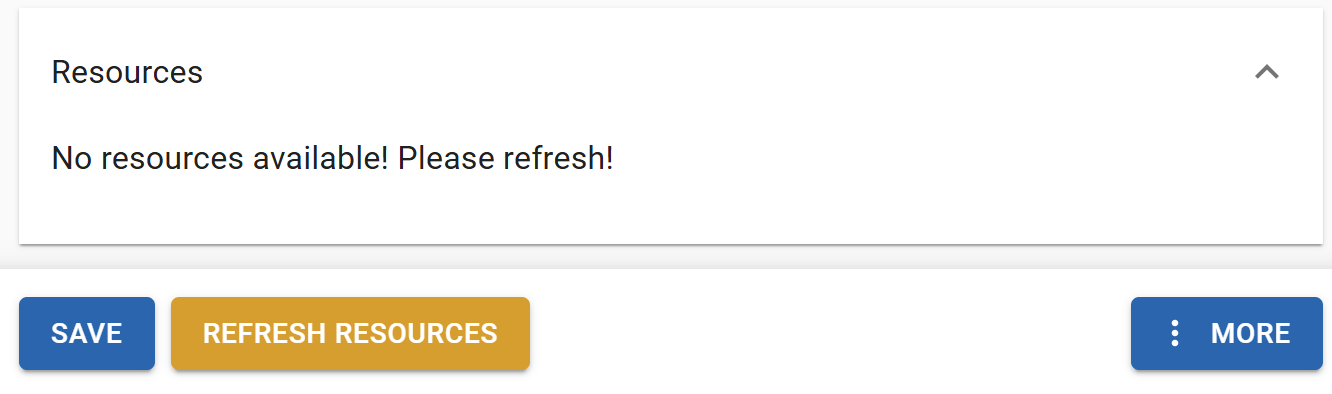
On you package details page you'll be asked to
refresh resourcesfirst before you are able to execute your package.
- After the operation completes all resources from your REST data source will be available in the
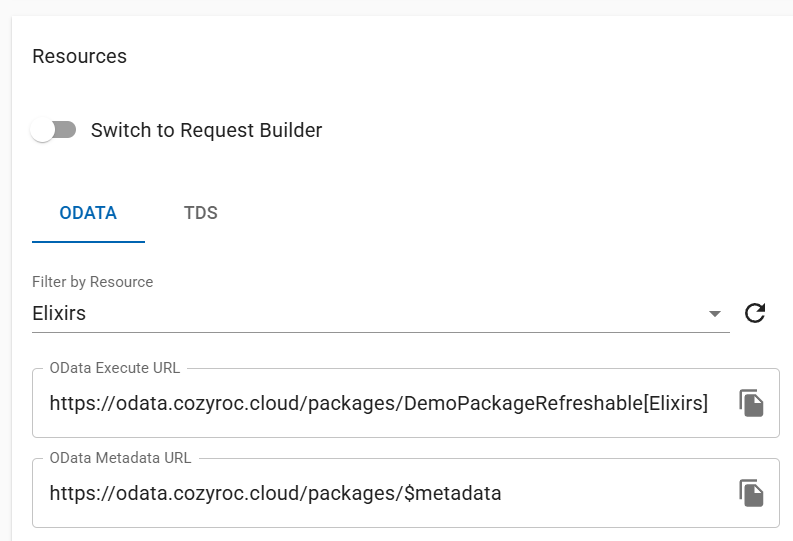
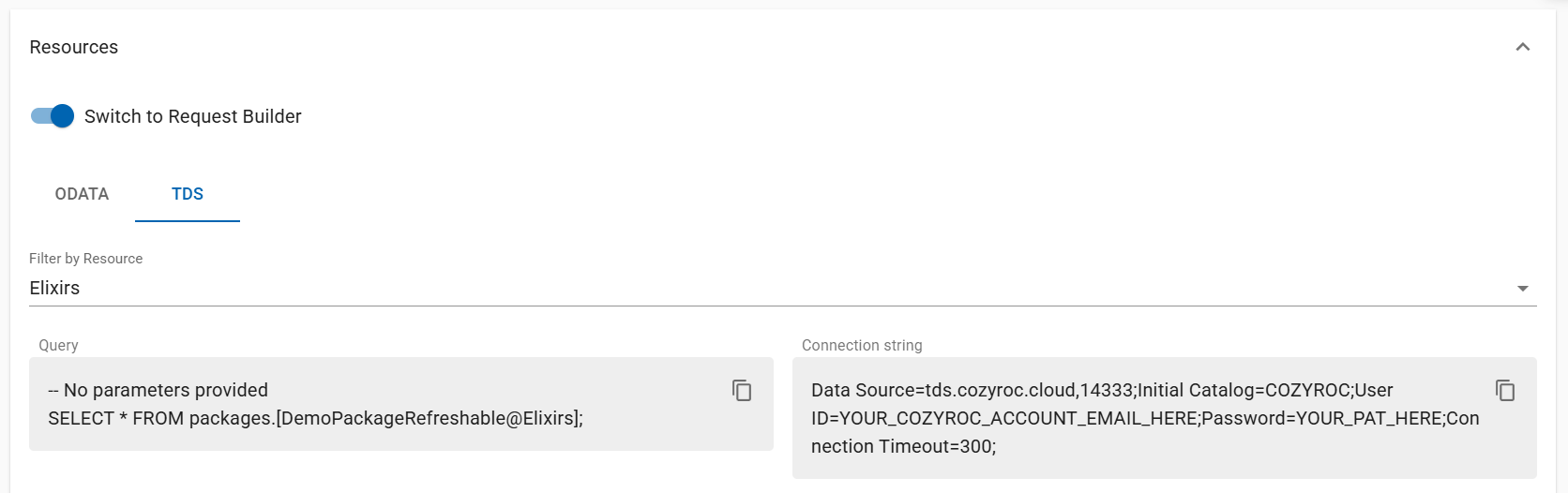
Resourcessection. Each resource will have its own:
OData execute url
TDS query and connection string
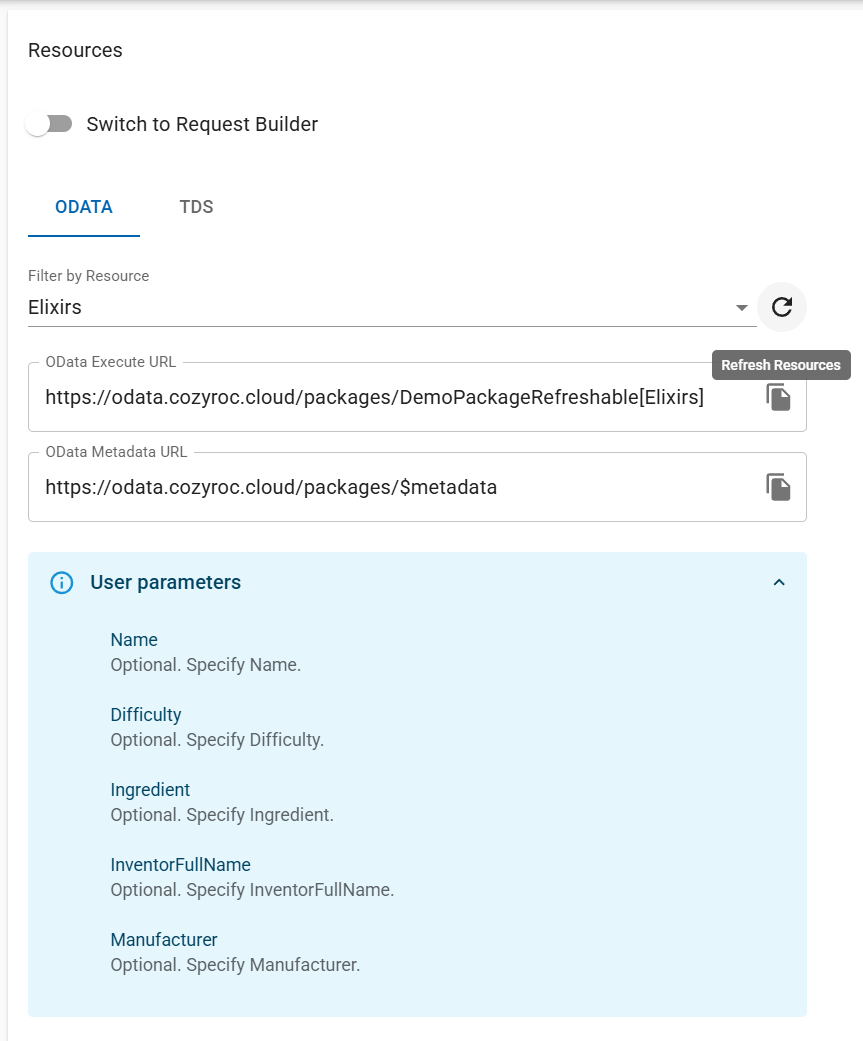
In case of source changes you can refresh the resources by clicking the button next to the resource selection.
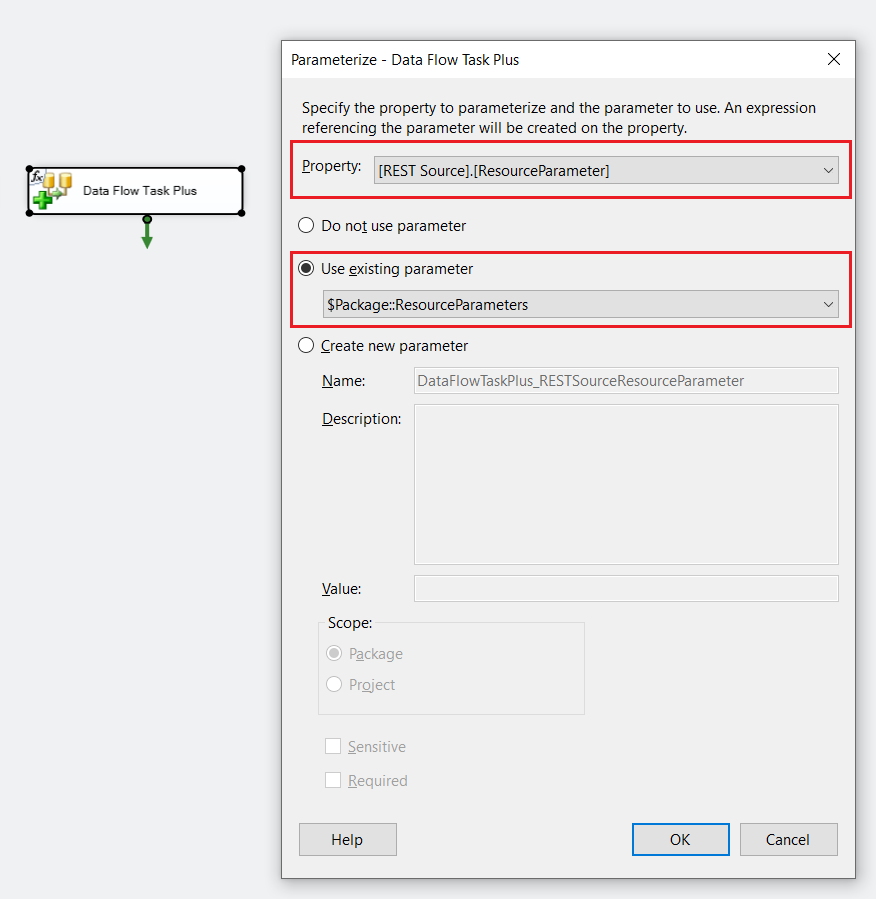
Refreshable resource package parameterization
Use SSIS+ REST Source component together with the SSIS+ Data Flow Task Plus. This configuration enables integration with dynamic REST resources.
The REST Source component exposes a dedicated parameter named ResourceParameter. This parameter must be bound to a package parameter of type String. It is recommended to name this package parameter ResourceParameters, although any other name can be used.
The ResourceParameter is a special parameter that allows you to pass user parameters to the REST API. User parameters are the input parameters defined by the REST endpoint you are consuming. Each REST resource can define its own set of user parameters.
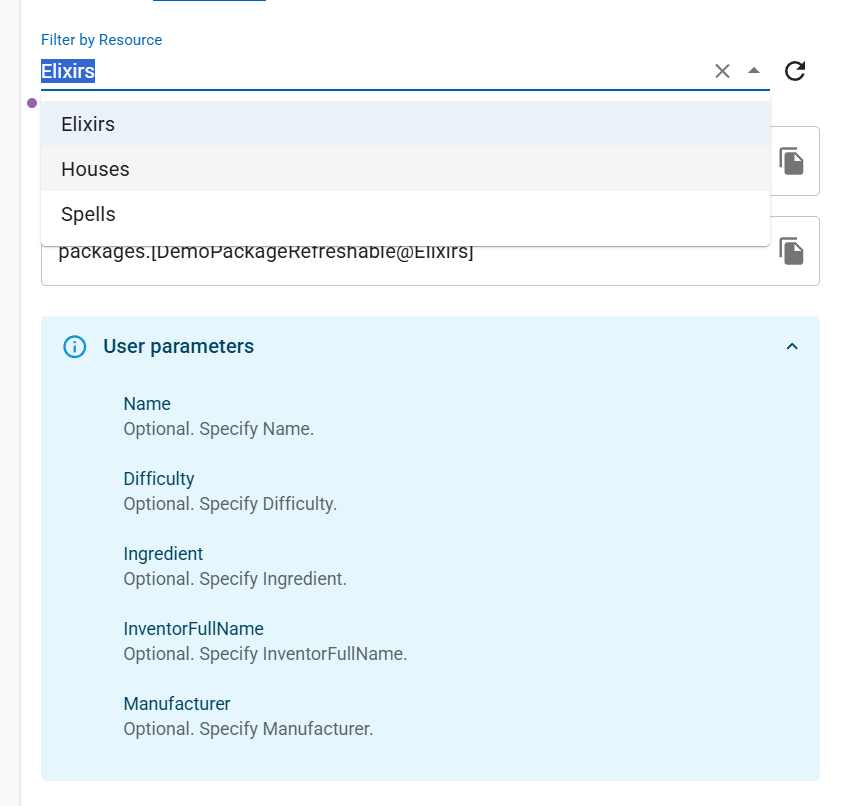
We've developed resource request builders for OData and TDS which you can use to build your requests and assign user parameters conveniently.
Identifiers and Naming
Packages, gems, and instances each have their own identifier. The identifier is assigned when the item is created and uniquely identifies it within the schema depending on the context: packages or gems. You can modify identifiers, but they should still be unique within their schema.
TDS table names
The identifier directly determines the TDS table name used to query the resource. The table name follows this format:
packages.[Identifier@Resource]
gems.[Identifier@Resource]
workspace.[Identifier@VersionId@Resource]
For example, a package with identifier DemoPackage and resource Elixirs is queried as:
SELECT * FROM packages.[DemoPackage@Elixirs];
Or a gem with identifier DemoGem and resource Spells is queried as:
SELECT * FROM gems.[DemoGem@Spells];
And for gem publishers, a gem version with VersionId xy7Qp1, identifier DemoWorkspaceGem and resource Houses is queried as:
SELECT * FROM workspace.[DemoWorkspaceGem@xy7Qp1@Houses];
OData entity set names
The identifier also determines how the resource appears in the OData service document and metadata. Each package or gem resource is exposed as an entity set named after its identifier and resource. The entity set name appears in the service document returned by https://odata.cozyroc.cloud/packages (or /gems) and in the execute URL for that resource.
Instance identifiers
When an instance is created it should have unique identifier within it's schema (packages or gems). This instance identifier appears alongside the base package or gem in TDS explorers (for example, the Power BI navigator) and OData service documents (for example, in Postman). Each instance can therefore be independently queried using its own identifier, with the same packages.[Identifier@Resource] pattern for TDS and a corresponding entity set name for OData.
Instance identifiers must be unique in the packages schema for packages and in the gems schema for installed gems in your organization. If you try to create instance with identifier which already exist in the corresponding schema in your organization, the system will warn you and would expect you to enter unique identifier.
For Gem publishers the schema is workspace, the slug is the identifier and it should be unique among all published gems or gems which are waiting for publish approval in COZYROC CLOUD.