TDS Execution
Available for Flex (SSIS) and Gems (Pre-built)
Overview
To execute a package or gem and retrieve the resulting data through the COZYROC TDS Service, they must be developed in accordance with the guidelines in the Package Development section. TDS-aware clients can access the service as long as they meet the requirements listed below.
Requirements
- Client can set connection string provided by COZYROC Cloud.
- User has a valid authorization token obtained from the COZYROC Cloud web application.
Getting and using an authorization token
To get and use an authorization token:
- Login to the COZYROC Cloud web application.
- Under Profile expand the Personal Access Token section.
- Click on Generate, provide token name and click on Submit.
- Copy the generated token.
- In your TDS client set your
User ID=YOUR_COZYROC_ACCOUNT_EMALand setPassword=copied token valuewith the value of the copied token.
Connection string example
Data Source=tds.cozyroc.cloud,14333;Initial Catalog=COZYROC;User ID=your_cozyroc_account_email;Password=YOUR_PAT_HERE;Connection Timeout=300;
Refreshable metadata
Packages and gems that implement refreshable resources will require the Refresh Resources action before you can inspect or execute them.
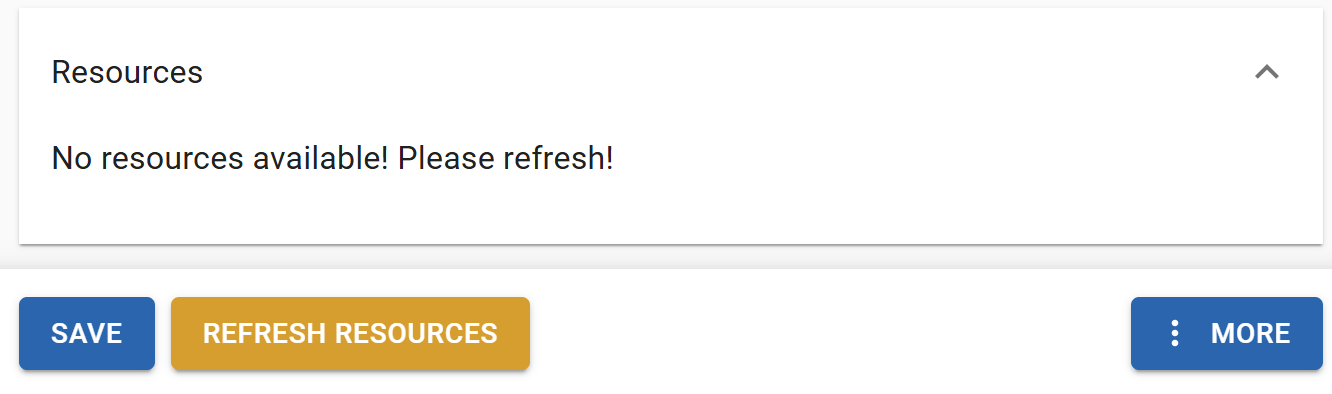
Accessing resources through the TDS service
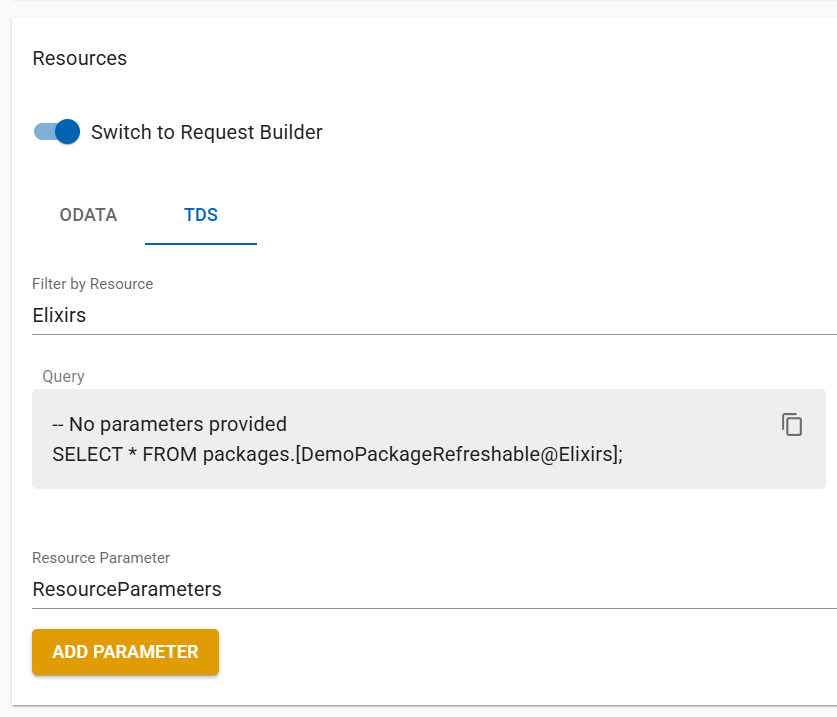
The SQL query is available under the Resources panel in TDS section of the corresponding Package / Gem details page.
Execution with Parameters
Parameters defined during development can be configured in the TDS service query. The values assigned to these parameters will be passed to the package upon execution.
To enable parameter passing in the TDS query, utilize the Switch to Request Builder feature. Navigate to the Resources panel and activate the Switch to Request Builder toggle.
Select Resource Parameter and click the Add parameter button. Enter the parameter value. The TDS query will be updated accordingly, as demonstrated below. You can filter results by assigning user parameters to ResourceParameters through the Assign user parameters button. Enter the desired values and click Set.
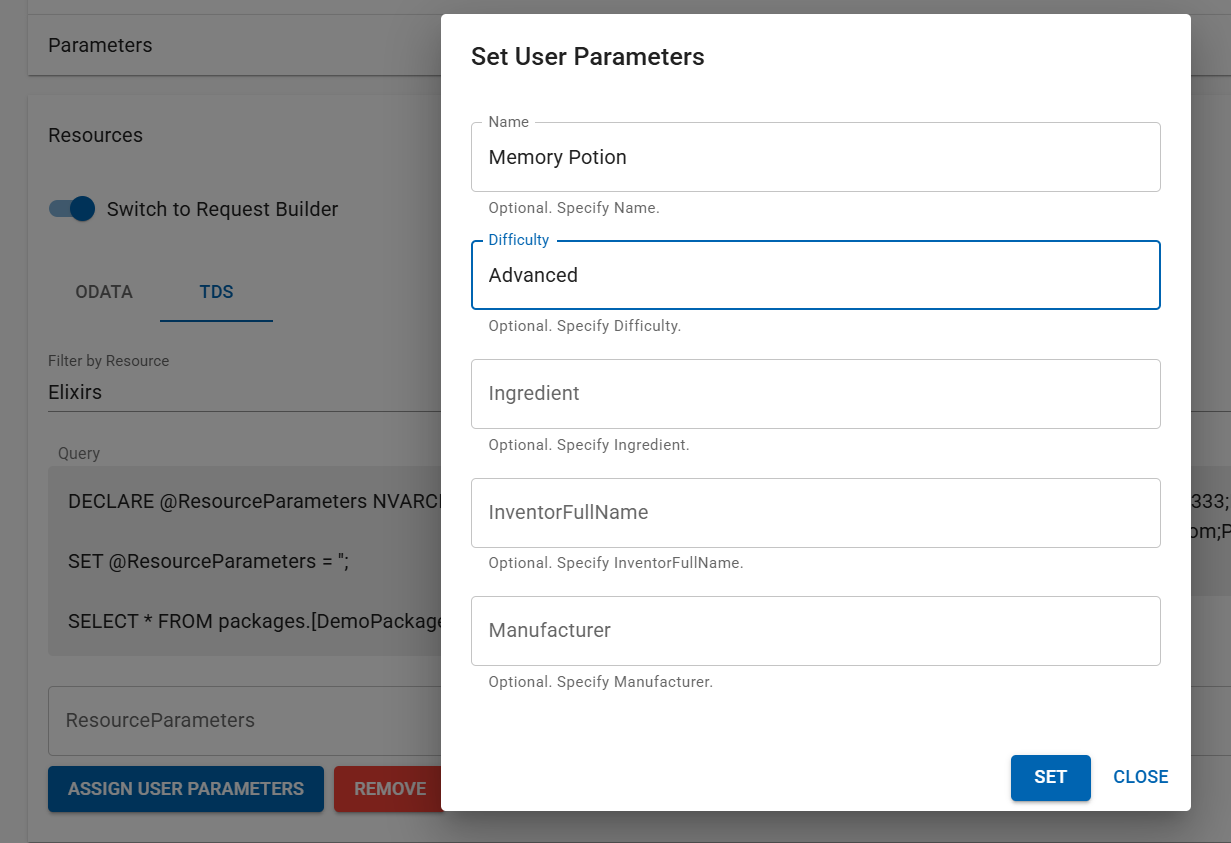
All additional package parameters are available for use as well.
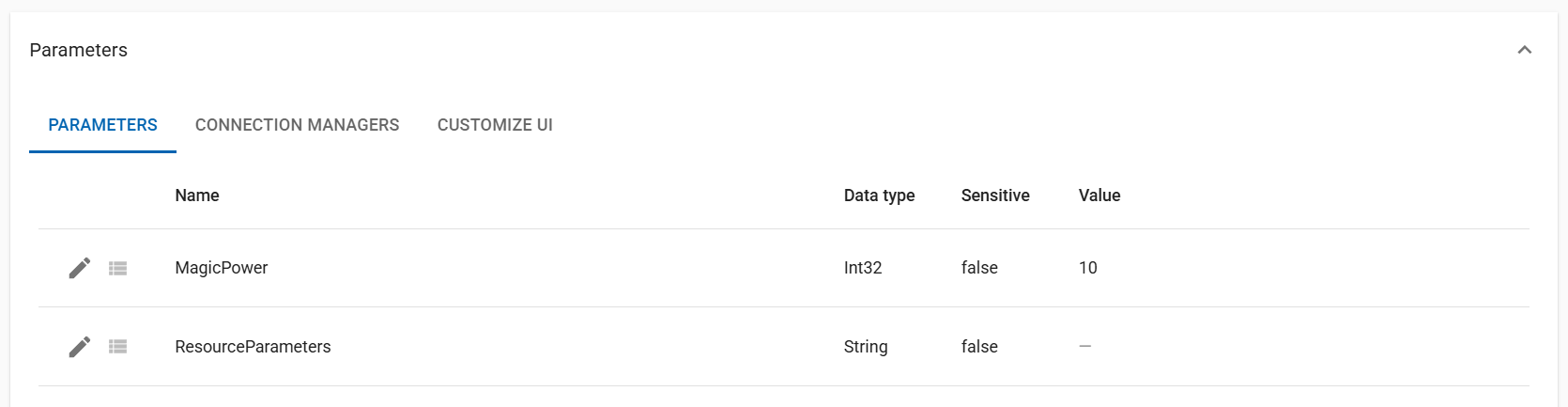
Select MagicPower from the list and add it to the query. Adding parameters will update the TDS query as shown below.
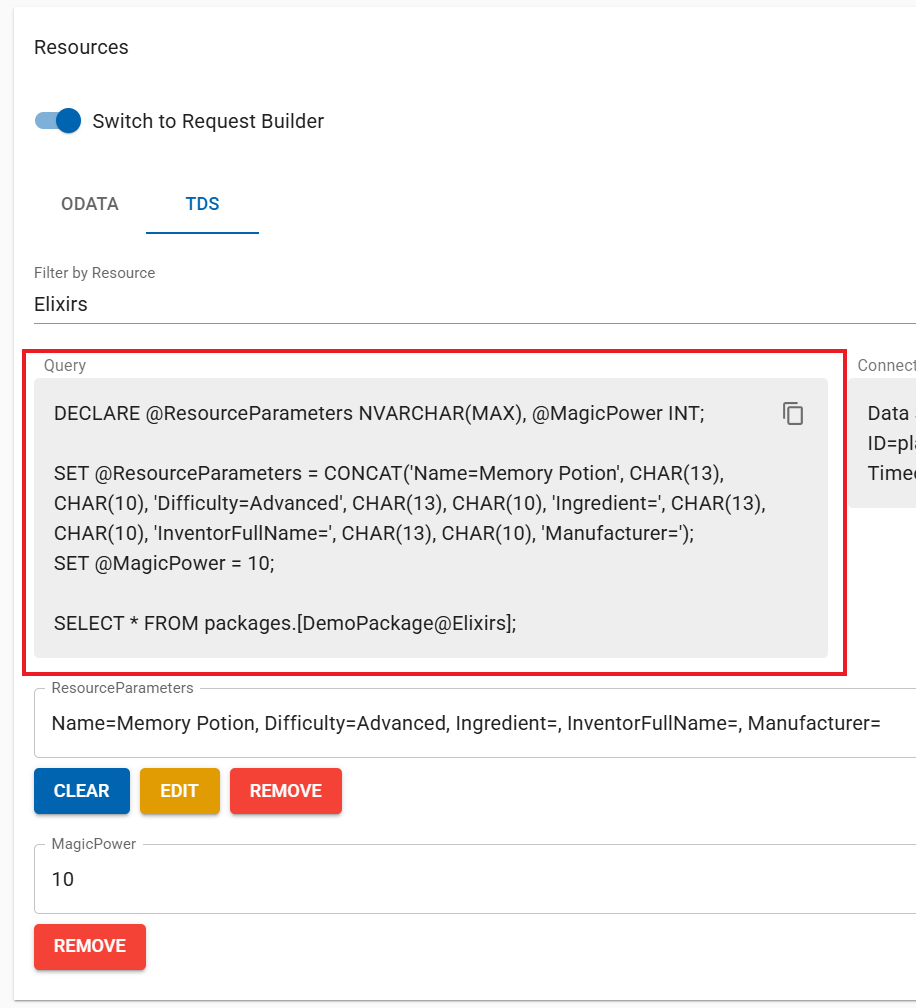
The following SQL query demonstrates the underlying mechanism:
DECLARE @ResourceParameters NVARCHAR(MAX), @MagicPower INT;

SET @ResourceParameters = CONCAT('Name=Memory Potion', CHAR(13), CHAR(10), 'Difficulty=Advanced', CHAR(13), CHAR(10), 'Ingredient=', CHAR(13), CHAR(10), 'InventorFullName=', CHAR(13), CHAR(10), 'Manufacturer=');

SET @MagicPower = 10;

SELECT * FROM packages.[DemoPackage@Elixirs];
The following statement declares the package parameters for use during execution:
DECLARE @ResourceParameters NVARCHAR(MAX), @MagicPower INT;This statement sets the user parameter values:
SET @ResourceParameters = CONCAT('Name=Memory Potion', CHAR(13), CHAR(10), 'Difficulty=Advanced', CHAR(13), CHAR(10), 'Ingredient=', CHAR(13), CHAR(10), 'InventorFullName=', CHAR(13), CHAR(10), 'Manufacturer=');
The CONCAT function combined with CHAR(13), CHAR(10) is required because SSIS+ Rest Source expects user parameters in key-value pair format for parameterization, structured as follows:
Name=Memory Potion
Difficulty=Advanced
Ingredient=
InventorFullName=
Manufacturer=
CHAR(13), CHAR(10) represents a newline character sequence in T-SQL.
The statement SET @MagicPower = 10; assigns the integer value of 10 to the parameter, which will be supplied during package execution.
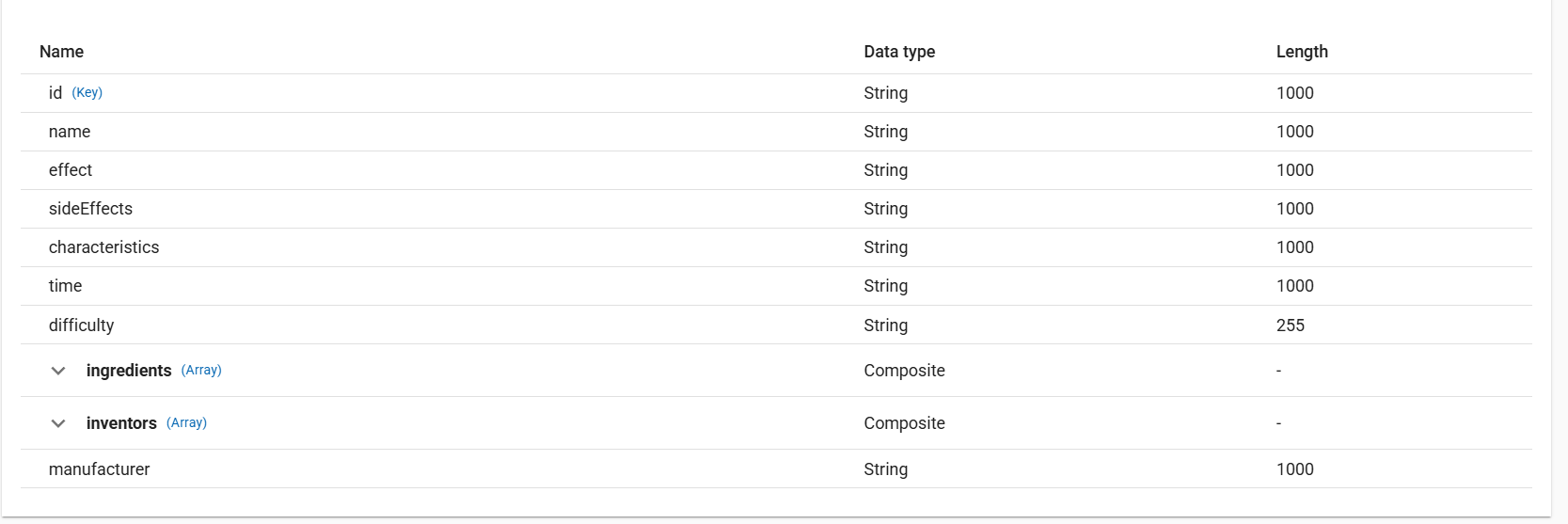
The following query selects the desired resource columns from the resource fields table:
SELECT name, difficulty, effect FROM packages.[DemoPackage@Elixirs];
Multiple instances
Check instances article and Power BI instances example for more information.