Accessing TDS Service from Zoho Analytics
info
Available for: Flex (SSIS) and Gems (Pre-built)
Overview
Zoho Analytics can connect to the COZYROC Cloud TDS service using its Microsoft SQL Server (MSSQL) connector.
To establish a connection, you must provide:
- TDS endpoint details
- Your COZYROC credentials
This guide walks you through preparing your COZYROC account and importing data into Zoho Analytics.
Prerequisites
Before you begin, ensure you have:
- An installed COZYROC datasource gem or package
- Your COZYROC username
- A generated Personal Access Token
- TDS endpoint details:
- Host
- Port
- Database name
Step 1 — Open Import Data
- Log into Zoho Analytics
- Click Import Data or Create New Table
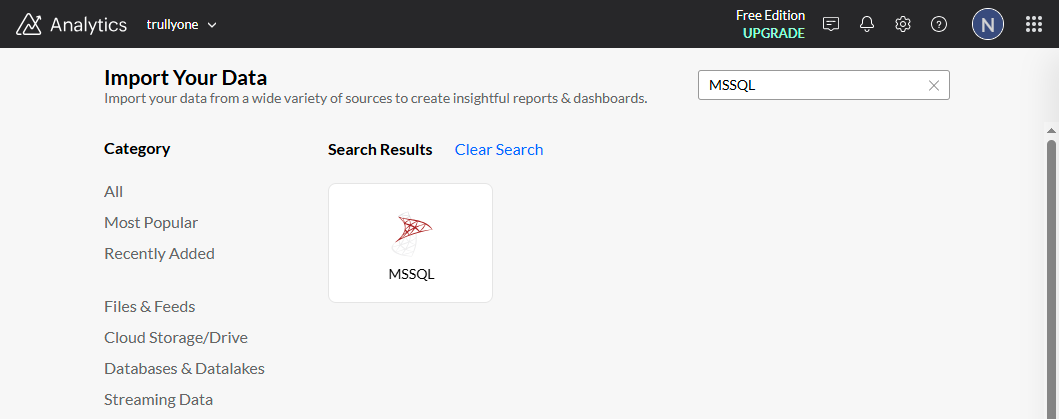
Step 2 — Choose MSSQL Connector
- In the Import Data screen, search for MSSQL
- Select the Microsoft SQL Server connector
Step 3 — Fill Connection Properties
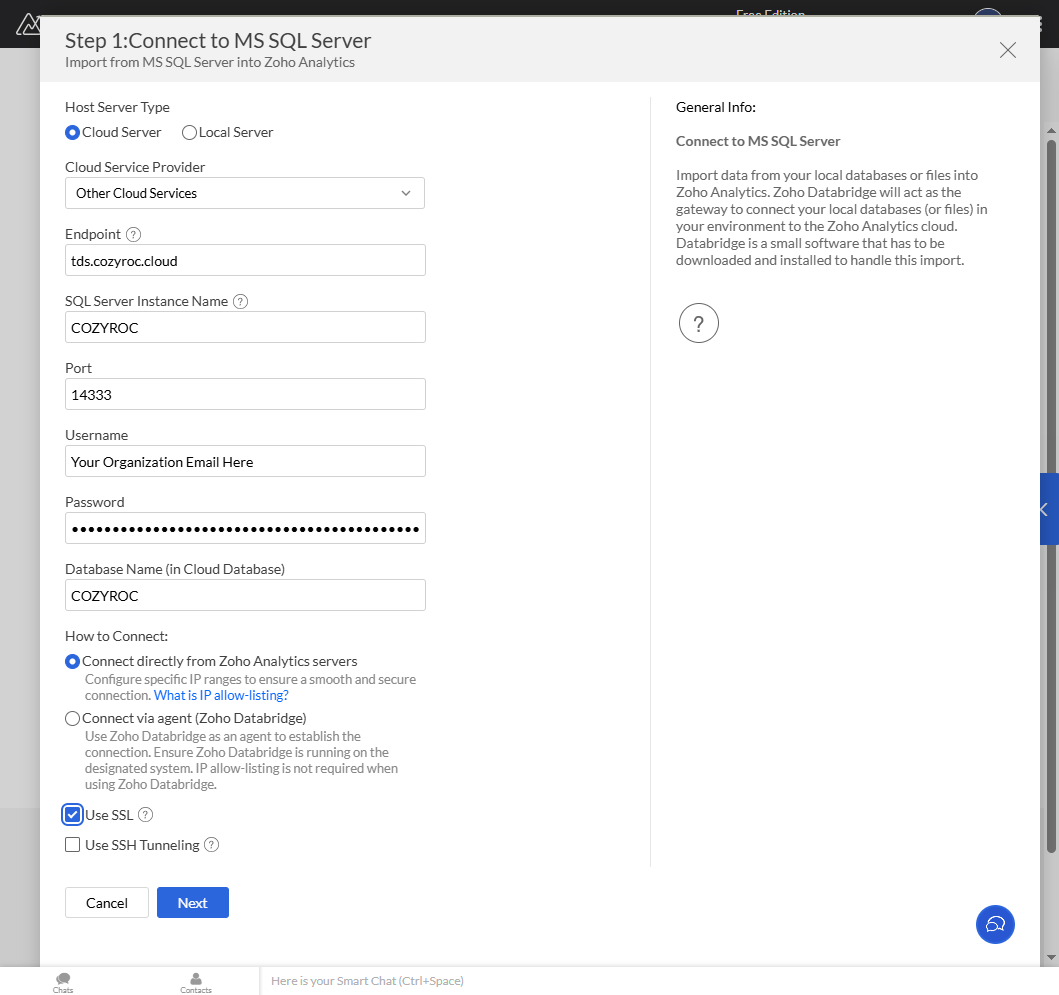
Enter the following connection details:
- Endpoint / Host:
tds.cozyroc.cloud - SQL Server Instance:
COZYROC - Port:
14333 - Username: Your COZYROC Cloud account email
- Password: Your Personal Access Token generated in COZYROC Cloud
- Database Name:
COZYROC
note
Enable Use SSL to ensure secure communication with the TDS service.
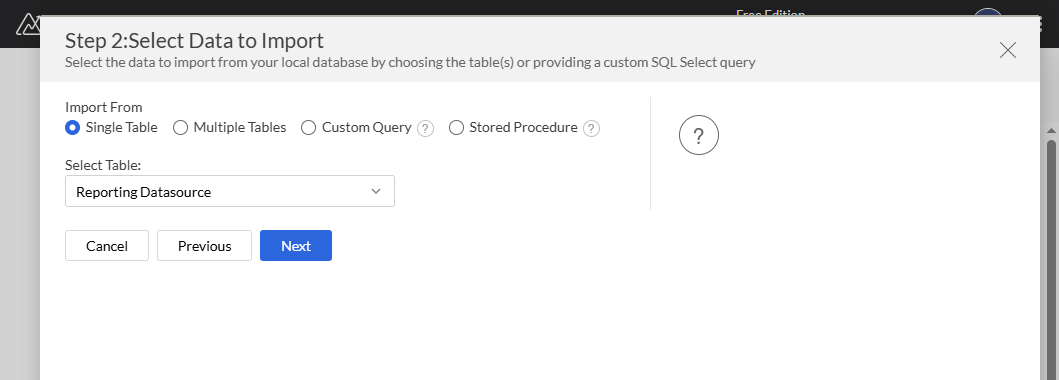
Step 4 — Select Data to Import
- Choose Single Table
- (Or Multiple Tables if needed)
- Select your Reporting Datasource table
- Click Next
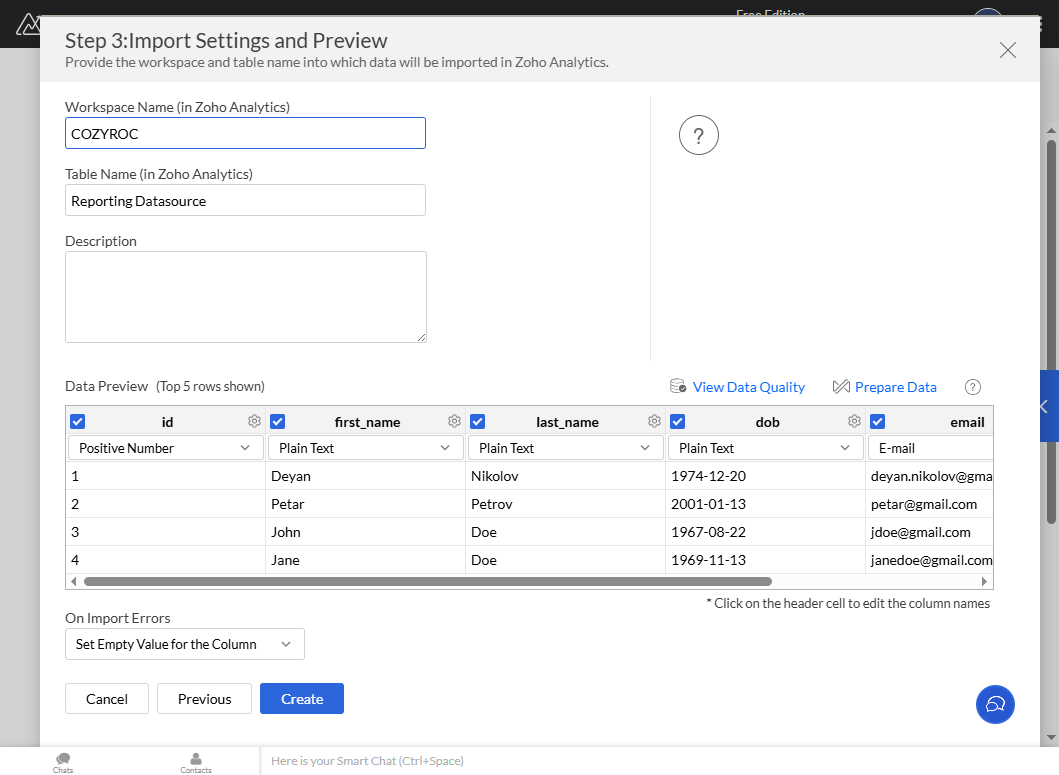
Step 5 — Confirm Import Settings
- Review detected column types
- Adjust column names or data types if necessary
- Click Create
Step 6 — Import Initiation
Zoho Analytics will begin importing data from your TDS service.
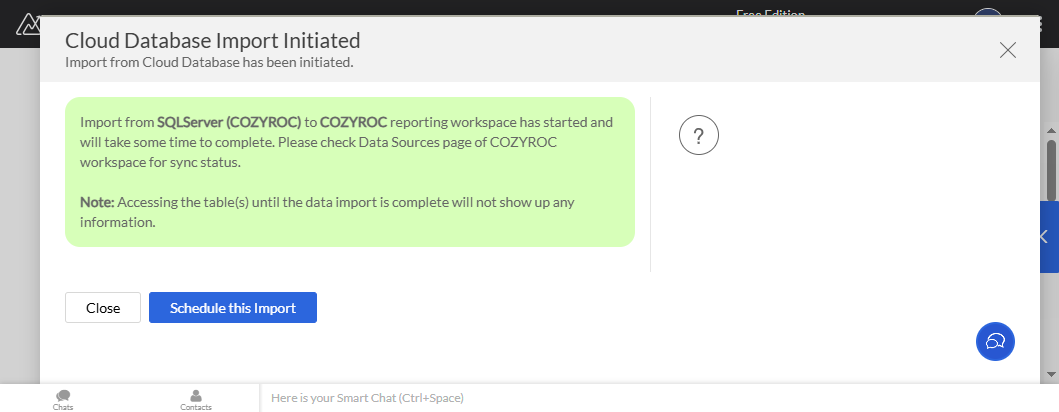
You should see a confirmation message such as:
Cloud Database Import Initiated
Step 7 — Monitor Sync Status
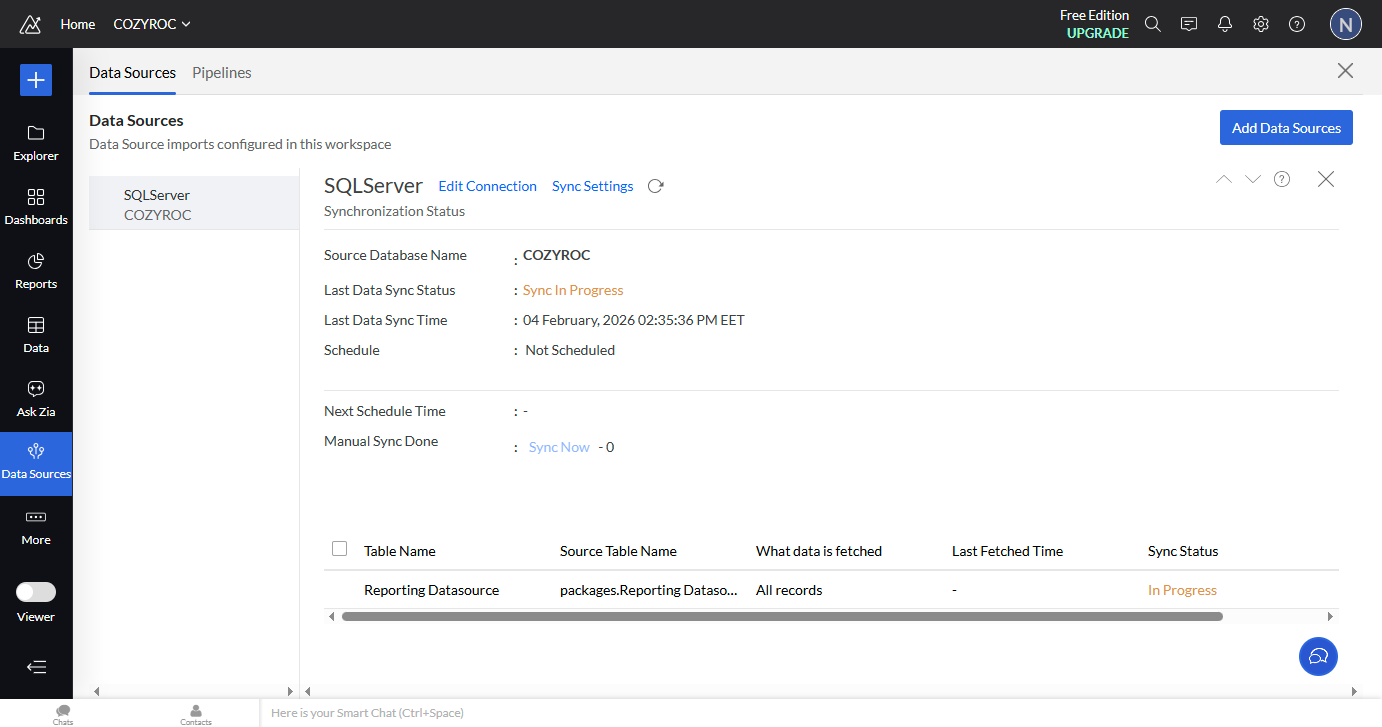
- Navigate to Data Sources
- Locate your MSSQL connection
- Check the status — it will show Sync in Progress
Step 8 — Data Availability
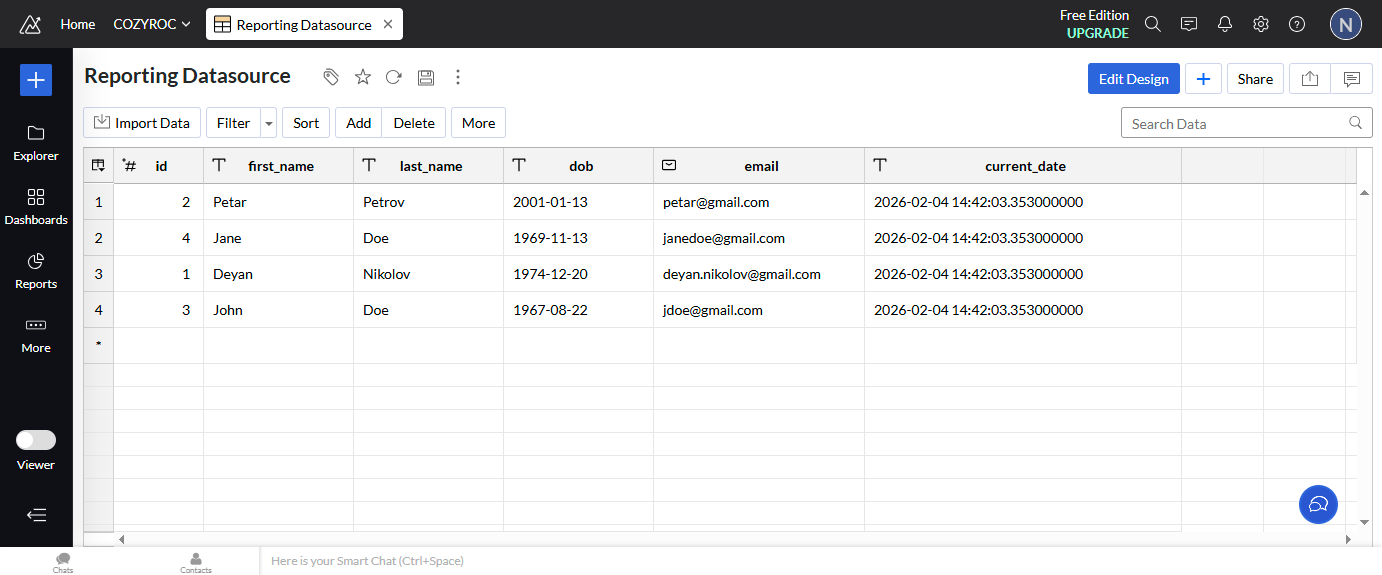
Once synchronization completes:
- The table appears in your workspace
- Data becomes available for reporting and dashboards
- TDS packages and definitions are accessible
Troubleshooting Connection Issues
If the connection fails, verify:
- Endpoint and port are correct
- Access token is valid and not expired
- SSL is enabled
- IP allow-listing is configured if required
Next Steps
You are now ready to build reports and dashboards in Zoho Analytics using your COZYROC Cloud TDS data.